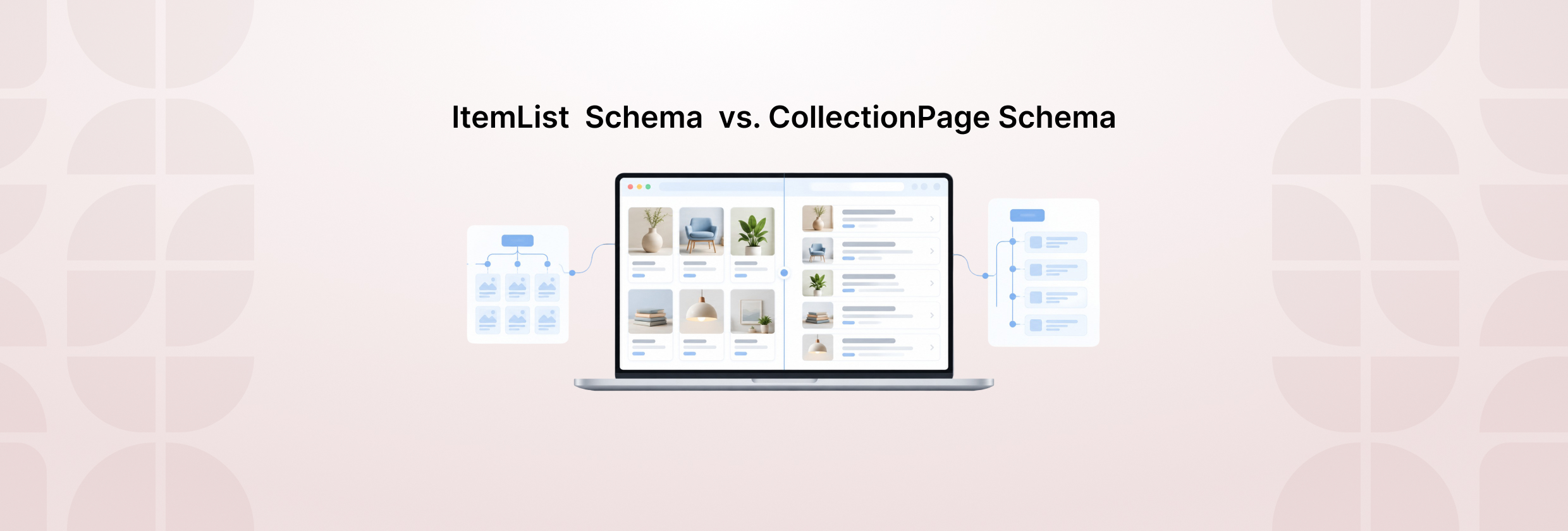



ItemList and CollectionPage schema help search engines understand how content is organized on your website. CollectionPage describes a webpage containing a collection of related content, while ItemList identifies the individual items within a list.
If Track My Visibility shows an opportunity related to ItemList or CollectionPage schema, review the page to check whether the markup is missing, incorrect, or inconsistent. It does not always mean something is broken. Your website theme, CMS, or SEO plugin may already be generating structured data.
In this guide, you’ll learn the difference between ItemList vs. CollectionPage Schema, when to use each or both, how to implement them correctly, and how to validate the markup.
TL;DR
- Check what schema your page already outputs before adding anything new.
- Use CollectionPage to describe the page and ItemList to describe its listed items when appropriate. Both are not always necessary.
- ItemList can describe the items and their order on a standalone list page.
- Remove or correct duplicate markup from your theme, CMS, or plugins if the information conflicts.
- Ensure your ItemList matches the visible content, uses appropriate item URLs, and reflects the correct order of the listed items.
- Do not expect a rich result or a ranking boost. Google’s carousel supports only certain content types and regions.
What Is the Difference Between ItemList and CollectionPage Schema?
ItemList and CollectionPage are structured data types defined by Schema.org. Both can help describe how content is organized, but they represent different things.
| Feature | ItemList | CollectionPage |
| Purpose | Identify listed content | Describe the page’s purpose |
| Applications | Product lists, article lists, directories | Category pages, blog archives, resource hubs |
| Item-level information | Yes | Not inherently |
| Can they work together? | Yes | Yes |
| Google rich result eligibility | Only in supported formats | No dedicated rich result |
What is ItemList schema?
ItemList schema describes a collection of individual items displayed on a webpage. These items can include products, articles, recipes, services, or other resources.
For example, an online store can use ItemList to describe the running shoes displayed on a category page. This does not replace appropriate Product schema on individual product pages.
The markup commonly uses:
- itemListElement: Identifies the individual entries in the list.
- ListItem: Represents an entry in the list.
- position: Specifies an item’s position in the list.
ItemList is useful for describing a group of related items, whether or not their order is significant.
What is CollectionPage schema?
CollectionPage schema describes a webpage whose primary purpose is presenting a collection of related content.
For example, a clothing store’s “Women’s Jackets” category page displays multiple jackets in one place. CollectionPage describes the category page as a collection of related products. ItemList can describe the listed products, while individual product pages can use Product schema where appropriate.
CollectionPage identifies the type and purpose of the webpage rather than defining every item within it.
Think of CollectionPage as describing the page and ItemList as describing the list of items it contains. They can work together when both accurately represent the content.
Which Schema Does Your Page Need?
Choose the schema based on your page’s purpose and the content it displays. Here are some common scenarios:
| Page type | Recommended approach |
| eCommerce category page | CollectionPage, with ItemList when useful |
| Blog category or archive | CollectionPage, optionally ItemList |
| Curated resource directory | CollectionPage, with ItemList when appropriate |
| Ranked article listing | ItemList when appropriate |
| Individual product page | Product schema and an appropriate webpage type |
| Standard informational page | Neither is necessarily needed |
- Use CollectionPage when your main goal is to identify a webpage as a collection of related content.
- Use ItemList to describe a list of related items, whether or not their order is significant.
- Use both when CollectionPage and ItemList accurately describe the page and its list of items.
For example, a coffee maker category page could use CollectionPage to describe the page and ItemList to describe the listed products, when appropriate.
Always choose a schema that accurately reflects your page’s content and purpose.
How to Fix ItemList and CollectionPage Schema Issues
If Track My Visibility flags missing ItemList or CollectionPage schema, check the affected page’s existing markup before making changes. The issue may involve missing markup, incorrect properties, or conflicting schema generated by different tools.
Follow these steps to identify and fix the issue.
Step 1: Check Your Existing Schema
Open the affected page in the Schema Markup Validator to identify its existing structured data and check for errors.
- Check whether ItemList, CollectionPage, or both are already present.
- Look for duplicate or conflicting markup generated by your website theme, CMS, or SEO plugins.
- Identify incorrect properties, broken URLs, or information that doesn’t match the page.
If the existing schema is correct, no additional markup may be needed.
Step 2: Fix Missing or Incorrect Markup
Once you’ve identified the issue, make the necessary changes.
- Missing schema: Add ItemList or CollectionPage, or both when appropriate for the page’s content.
- Incorrect schema: Replace or update markup that doesn’t match the page’s content or purpose.
- Duplicate schema: Remove conflicting duplicates or consolidate them into a consistent implementation.
- Outdated information: Update item names, URLs, and list positions to reflect the current page content.
If your CMS or SEO plugin generates the schema, update it there to avoid duplicate markup.
Step 3: Validate Your Schema Changes
After updating the markup, confirm that it is correct.
- Run the page through the Schema Markup Validator to check for syntax errors and invalid properties.
- Use Google’s Rich Results Test to check eligibility for supported Google rich results.
- Verify that the schema matches the content displayed on the live page.
Keep in mind that valid ItemList or CollectionPage schema may not qualify for a Google rich result. This doesn’t necessarily mean the markup is incorrect.
Common ItemList and CollectionPage Schema Mistakes to Avoid
Valid JSON-LD can still misrepresent your page. Avoid these common implementation mistakes.
1. Using the wrong schema type
Use CollectionPage for pages presenting related content and ItemList for meaningful lists. Both can be used together when appropriate, but avoid applying either schema to pages where it doesn’t fit.
2. Adding duplicate or conflicting schema
Your website theme, CMS, or SEO plugins may already generate structured data. Check the existing markup before adding new schema to avoid duplicate or conflicting information.
3. Using incorrect item positions
The position property should reflect the intended order of items in your list. If the order changes due to sorting or updates, make sure the structured data reflects the updated order.
4. Including outdated or incorrect items
Products, articles, or resources may be removed or updated over time. Therefore, keep your ItemList schema updated so it accurately represents the items displayed on the page.
5. Using incorrect URLs
Broken or unrelated URLs can make your structured data inaccurate. Instead, use the correct URLs for each listed item and check that they lead to the intended pages.
6. Confusing Product Listings With Product Detail Pages
Adding ItemList schema to a product category page does not guarantee Google’s product rich results. Use appropriate Product structured data on eligible individual product pages.
7. Ignoring pagination and filtering
Paginated and filtered collection pages may display different sets of items. Ensure your ItemList markup reflects the content of each page, and keep canonical URLs and indexing settings consistent with your SEO strategy.
Choose the Schema That Matches Your Page
ItemList and CollectionPage serve different purposes. CollectionPage identifies a webpage containing related content, while ItemList describes the individual entries within a list.
Review your existing structured data, choose the schema that describes your page, and avoid adding unnecessary or duplicate markup. Once implemented, validate the changes and confirm that the published page reflects the correct information.
After verifying the appropriate schema, return to the Track My Visibility opportunity module and tick the checklist box to mark the task as complete.
FAQ
Yes. CollectionPage describes the page as a collection, while ItemList describes the listed products or items. You can use both when appropriate for your Shopify collection page.
No, CollectionPage schema does not directly improve rankings. It describes the page’s purpose, while rankings depend on factors such as relevance, content quality, crawlability, and links.
No. ItemList does not guarantee a Google carousel. Eligibility depends on Google’s supported content types and specific requirements.
CollectionPage can describe a Shopify page that presents a collection of related products. Add ItemList when it accurately represents the listed products, and use appropriate Product schema on individual product pages.
No. Product schema is primarily intended for individual product pages. Use ItemList to describe products listed on a collection page when appropriate, and add Product schema to individual product pages where relevant.
Yes, but indirectly. Structured data can provide additional context about your page and its content, but it does not guarantee AI citations or recommendations. Helpful content, crawlability, and consistent information remain important for AI search visibility.