Robots.txt File Generator
Create a clean robots.txt file in seconds to guide search engines and AI crawlers on which pages they can crawl and which ones to avoid.
Search Engines
Restricted Directories
Blocked directories
AI Crawlers
Save as /robots.txt in your site root
What is Robots.txt File?
A robots.txt file is a plain text file that tells search engines and AI crawlers which parts of your website they can or cannot access. It is placed in your website’s root folder and gives crawl instructions to bots like Googlebot, Bingbot, and other crawlers. You can use it to block pages like admin areas, internal search pages, checkout pages, duplicate URLs, and more.
A properly configured robots.txt file can also help manage crawler activity, improve crawl efficiency, and support better technical SEO, which plays an important role in appearing in AI search results.
How Does the Robots.txt File Generator Work?
The robots.txt file generator lets you create crawl instructions by selecting which search engines and AI crawlers can access your website. You can allow or block specific bots, add restricted directories, set crawl delay, and include your sitemap URL.
As you update the settings, the tool automatically generates a clean robots.txt file on the right side. Once the file is ready, you can copy or download it and upload it to your website’s root folder.
Search Engine Control
Choose which search engines, such as Google, Google Image, Google Mobile, and Bing, are allowed to crawl your website.
Directory Restrictions
Add the pages or folders you want to block from crawling, such as admin pages, private sections, temporary URLs, or duplicate paths.
AI Crawler Management
Control access for AI crawlers like GPTBot, OAI-SearchBot, ChatGPT-User, ClaudeBot, and other AI bots.
How to Use Your Robots.txt File
Upload robots.txt to your website root directory.
Monitor search engine and AI bot activity.
Add your XML sitemap for better discovery.
Update rules when site structure changes.
Test crawl rules before going live.
Block sensitive pages while allowing important content.
How Robots.txt Shapes
Your AI Presence
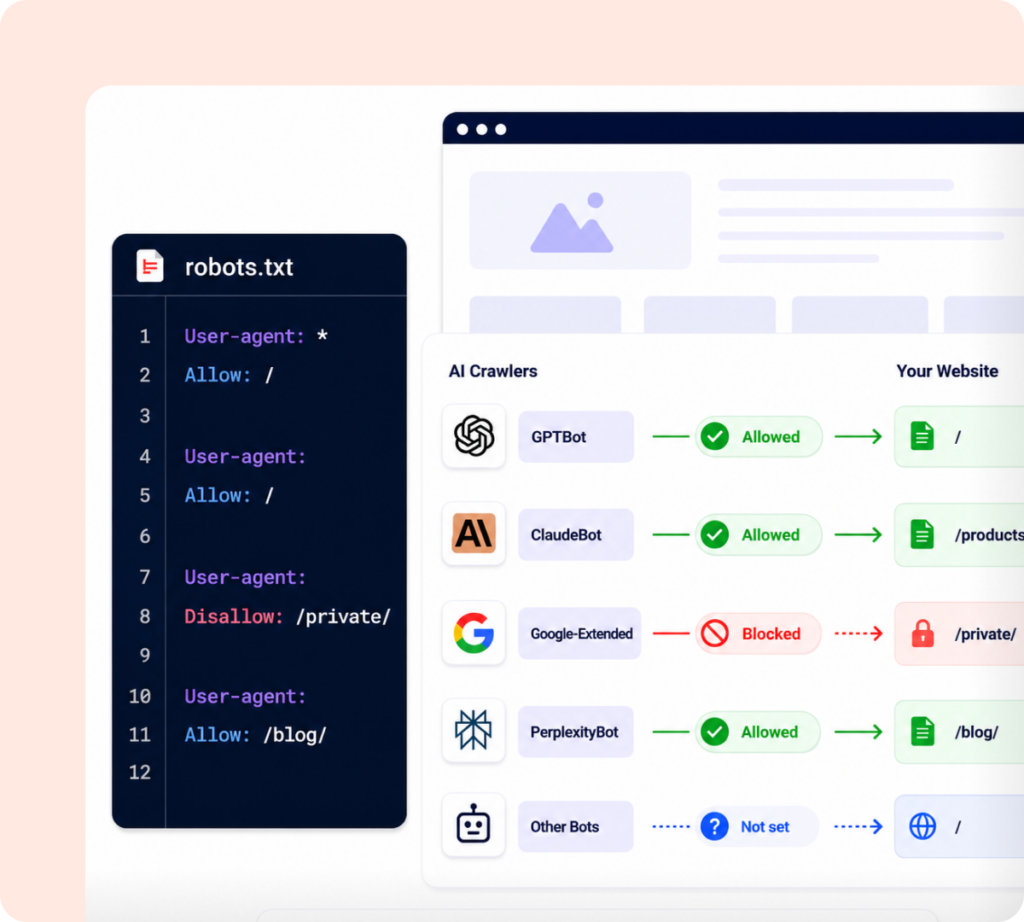
AI crawlers from tools like OpenAI, Anthropic, Google, and Perplexity scan websites to understand content and use it in AI-powered answers.
Your robots.txt file helps control which crawlers can access your site and which areas they should avoid. This is useful when you want important pages to stay discoverable while limiting access to private, duplicate, or low-value web pages.
As AI-driven search continues to grow, robots.txt is becoming an important part of modern SEO and AI visibility strategy.
Track What Happens After Crawlers Find You
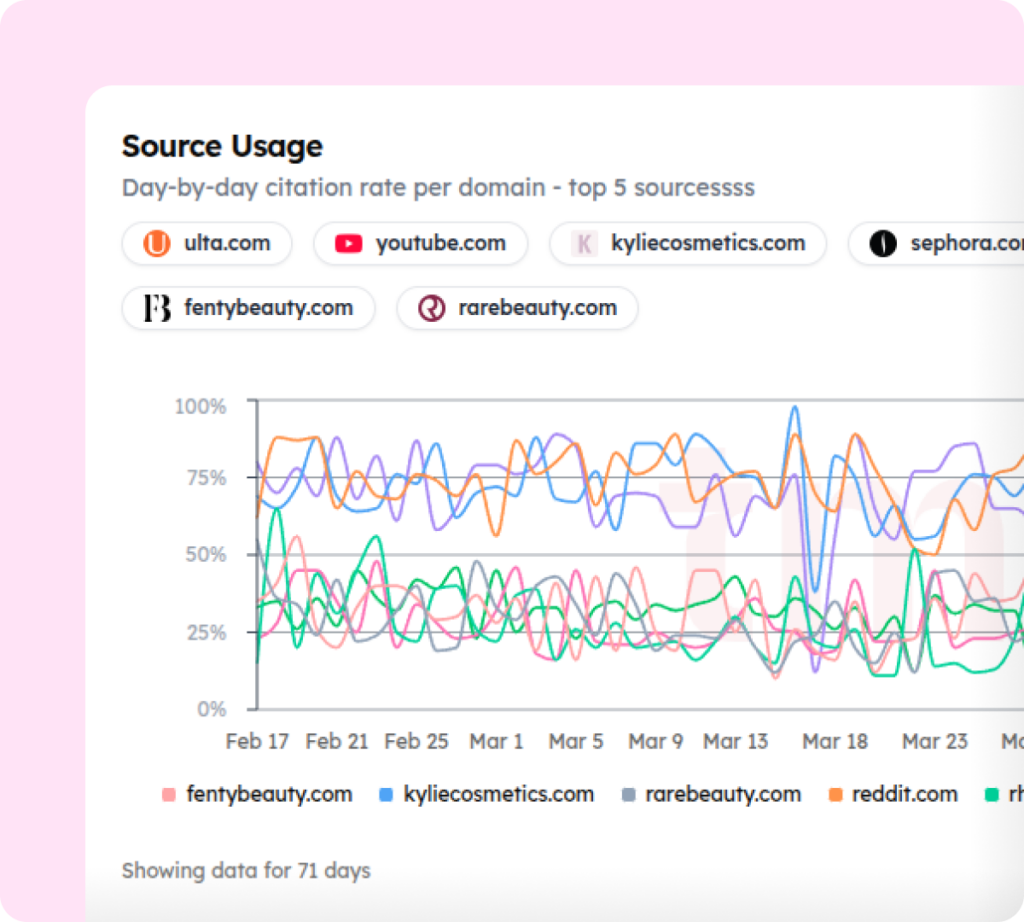
Creating a robots.txt file helps you control which search and AI crawlers can access your website. But access is only the first step. You also need to know whether AI platforms are actually finding, mentioning, and citing your brand.
Use our free AI visibility checker to see where your brand currently stands across major AI platforms. For ongoing monitoring, tracks your mentions, rankings, and citations across ChatGPT, Perplexity, and Gemini, so you always know where you stand.
Start tracking your AI visibility today
Smart robots.txt rules start the process. Measuring AI visibility drives real growth.
Got Doubts?
Quick answers to the most common questions about AI Search and Track My Visibility.
Why should I use a robots.txt file generator?
How do I add the generated file to my website?
Download the file and upload it to your domain root; the same folder that contains your homepage. It must be accessible at https://yourdomain.com/robots.txt. On WordPress, SEO plugins like Yoast or Rank Math let you edit it directly from the dashboard.
Can I use this for an existing robots.txt file?
Yes. Configure the generator to match your desired settings and download the output. You can then compare it with your existing file or replace it entirely. The generator always produces a clean, standards-compliant file.
How does Track My Visibility help after I set up robots.txt?
Track My Visibility monitors how AI platforms like ChatGPT, Perplexity, and Gemini mention and cite your brand. Once your robots.txt is in place, TMV shows whether your allowed crawlers are actually picking up and surfacing your content in AI-generated answers. Learn More.
Do I need technical knowledge to use this generator?
No. The robots.txt generator is designed for anyone; marketers, site owners, and developers alike. Toggle the crawlers you want, add any restricted paths, and download. No coding required.
Is robots.txt enough to protect private content?
No. Robots.txt only provides crawl instructions to compliant bots and does not secure private information. Sensitive pages should also be protected using authentication, passwords, or no-index directives where appropriate.