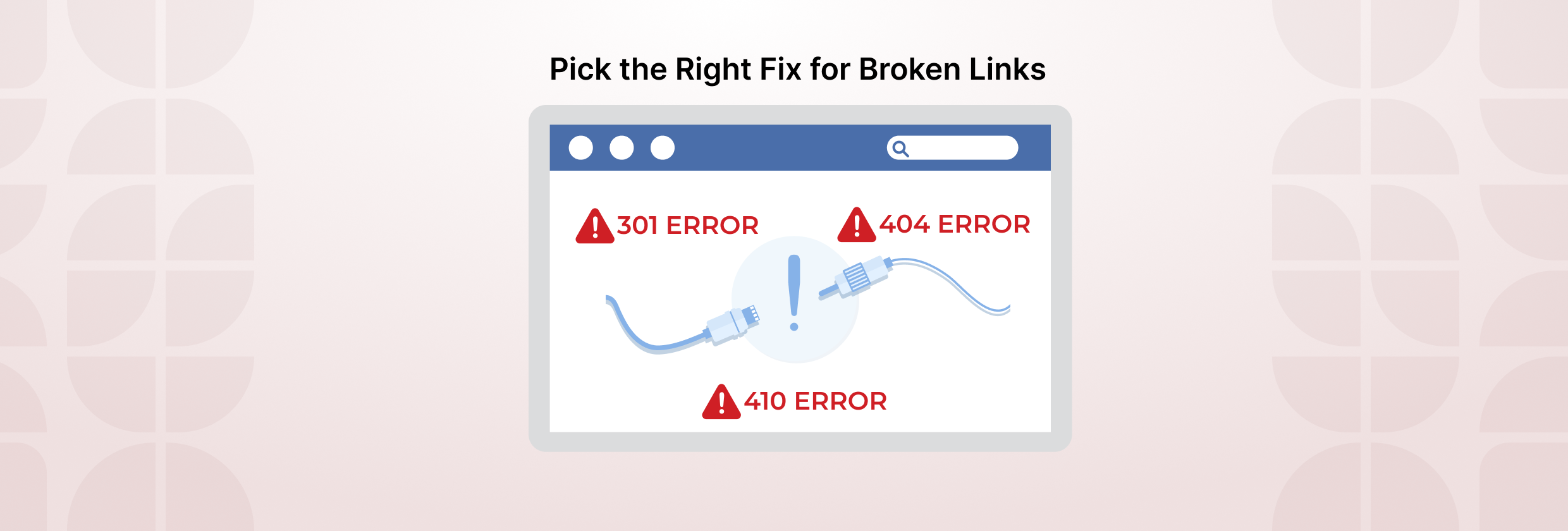



404, 301, and 410 are HTTP status codes that tell browsers and search engines what happened to a URL. A 301 means the page moved permanently to a new location. A 404 means the page can’t be found. A 410 means the page was removed on purpose and won’t return.
When a link breaks, the right fix depends on what happened to the destination. You may need to update or remove the link, add a 301 redirect, or keep a correct 404 or 410 response.
If Track My Visibility has flagged a broken link opportunity on your site, that doesn’t mean every affected URL needs a redirect. It is about checking why the link is broken and choosing the right action, such as updating the link, redirecting the URL, or keeping the correct 404 or 410 response.
In this guide, you will learn the difference between 404, 301, and 410, how to choose the right one, which broken URLs to fix first, and how to confirm the correct response is in place.
TL;DR
- Use a 301 redirect when a page has permanently moved, and a closely relevant replacement exists.
- Use a 404 Not Found when the page no longer exists, and there is no suitable replacement.
- Use a 410 Gone when a page has been intentionally and permanently removed, and you want to explicitly communicate that it will not return.
- Do not redirect every broken URL to the homepage or an unrelated page. The right response depends on what happened to the original URL and whether a useful replacement exists.
- If the link points to an incorrect, outdated, or external broken URL, update it to the correct destination or remove it if no useful replacement exists.
What 301, 404, and 410 Mean
A 301, 404, and 410 status code each tells search engines something different about what happened to a URL. Choosing the right one depends on whether the original page moved, disappeared, or was intentionally removed.
| Status Code | What It Means | When to Use It |
| 301 | The page has permanently moved | When there is a relevant replacement URL |
| 404 | The page cannot be found | Use when the requested URL does not exist and there is no relevant replacement. |
| 410 | The page has been permanently removed | When you intentionally removed the page and do not plan to bring it back |
301: Permanently Moved
A 301 redirect sends visitors and search engines from an old URL to a new one. Use it when the original page has permanently moved, and the new page serves the same or a closely related purpose.
404: Not Found
A 404:Not Found means the server could not find the requested page. This is appropriate when a page no longer exists, and there is no relevant replacement.
410: Gone
A 410 Gone status code tells search engines that the page was intentionally removed and is no longer available. It can be useful for content you deliberately removed and do not intend to replace, such as permanently discontinued pages or outdated content that should no longer exist.
A 410 explicitly communicates that the page was intentionally and permanently removed. For Google Search, however, both 404 and 410 indicate that the URL is unavailable and can be removed from the index.
How to Choose the Right Fix
The right response depends on what happened to the original page and whether a useful replacement exists.
Use this simple rule:
| Situation | Best Fix |
| The page permanently moved to a new URL | 301 redirect |
| A relevant replacement page serves the same or very similar purpose | 301 redirect |
| The page no longer exists and has no suitable replacement | 404 Not Found or 410 Gone |
| The page was intentionally and permanently removed | 404 Not Found or 410 Gone; use 410 when you want to explicitly communicate intentional removal |
| The URL is incorrect because of an outdated internal link | Fix the internal link |
| An external link points to a broken page | Update it to a working, relevant URL or remove the link if no suitable replacement exists |
Use a 301 When There Is a Relevant Replacement
Redirect an old URL when users would reasonably expect to find the same or very similar content at the new location.
For example, if a product category moves to a new URL, redirect the old category URL to the new one.
Avoid sending every broken URL to the homepage. A redirect should take users to a genuinely relevant destination that fulfills the original page’s purpose. Google recommends permanent server-side redirects, such as 301 or 308, when a page has permanently moved. If your site still links to the old URL, update those internal links to point directly to the new destination.
Keep a 404 When No Replacement Exists
A 404 can be the correct response when a page has been removed, and there is nowhere useful to send visitors.
Instead of creating an unrelated redirect, allow the URL to return a proper 404 response and remove any internal links pointing to it. A valid 404 response does not, by itself, hurt the rankings of other pages on your site .
Use a 410 for Permanent Page Removal
Use a 410 when you deliberately removed a page and know it will not return.
A 410 clearly indicates that a page was intentionally removed, but it is not inherently better than a 404 for Google Search. Google treats both as signals that the page is unavailable and may remove the URL from its index.
Fix the Link When the Destination Is Still Valid
Sometimes a link points to the wrong, outdated, or unavailable URL. For internal links, update the link to the correct destination. For external links, replace it with a working, relevant URL or remove it if no suitable replacement exists. If the old URL still receives external links or meaningful traffic and a relevant replacement exists, consider adding a 301 redirect as well.
Tip: Redirect only when a relevant replacement page exists. Otherwise, return the status code that accurately reflects what happened to the page.
Common Broken Link Mistakes That Hurt SEO
Broken URLs are not always harmful by themselves. Problems usually happen when they are handled incorrectly. These are some of the most common mistakes to avoid.
Mistake 1: Redirecting Every Broken URL to the Homepage
Sending every removed page to the homepage may seem like an easy fix, but it often creates a poor user experience. If the homepage is not a relevant replacement, keep the 404 or 410 instead.
Mistake 2: Redirecting to an Unrelated Page
A 301 should lead to a page that closely matches the purpose of the old URL. Redirect users only to a genuinely relevant replacement. If the destination does not meaningfully replace the original page, keep the correct 404/410 response instead.
Mistake 3: Leaving Broken Internal Links
Even when a 404 is valid, internal links should not keep sending users to that URL. Update or remove broken internal links so visitors and search engines can reach the correct destination directly.
Mistake 4: Blocking Broken URLs in robots.txt
Do not use robots.txt as a replacement for a proper 404 or 410 response. If the URL is blocked from crawling, Google may not be able to process the page normally.
Mistake 5: Keeping Removed URLs in the Sitemap
XML sitemaps should include URLs you want Google to discover and consider for search. Permanently removed URLs should generally be removed from the sitemap.
The goal is to ensure each URL returns the response that accurately reflects its current page status.
How Track My Visibility Helps Prioritize Broken URLs
Track My Visibility helps identify broken URLs so you can review the ones that may matter most to users and search visibility. Not every 404 needs action. A broken URL moves up the list when it has organic traffic, backlinks, internal links, conversions, sitemap inclusion, or a role in an important user journey.
Prioritize:
- Broken internal or external links on important pages
- Broken URLs that previously received meaningful traffic or links
- URLs still referenced in XML sitemaps
Chains deserve attention because Googlebot can generally follow up to 10 redirect hops, but Google recommends redirecting directly to the final destination and keeping redirect chains as short as possible because additional hops add latency. Track My Visibility’s free redirect chain checker helps you confirm each old URL lands on its final destination in one step.
TMV’s goal is to help you decide whether to restore, redirect, remove internal links, or correctly keep a 404 or 410 in place.
Keep Broken URLs Under Control
Broken URLs are a normal part of website maintenance as pages are updated, removed, or moved. The key is identifying which ones affect users, internal linking, or important pages.
Review broken URLs, update outdated internal links, remove deleted pages from your sitemap, and ensure redirects point to relevant destinations.
Once the necessary fixes are complete, tick the checklist box in the Track My Visibility opportunity module to mark the task as complete.
FAQs
No, not every 404 error needs fixing. First, check whether the URL should still exist. If it should, restore the page or fix the broken link. If the page is intentionally gone with no relevant replacement, a 404 can be correct.
No, a 410 is not inherently better than a 404 for SEO. Both tell Google that content is unavailable. Use 410 for intentionally, permanently removed pages; use 404 for missing or invalid URLs without a relevant replacement.
No, you should not redirect all deleted pages. Redirect a deleted page when a genuinely relevant replacement exists. If there is no suitable replacement, return a proper 404 or 410 instead.
No. A valid 404 does not directly hurt the rankings of other pages on your site. However, broken internal links can create a poor user experience and should be updated or removed. Crawl efficiency is mainly a concern when a site has large numbers of unnecessary or soft-404 URLs.